


Tape Measure: Measuring Ruler
4.24.39K Reviews
App Specs
- Version
- 6.5.3
- Updated On
- License
- Free
- Downloads
- 10,000,000+
- Developer
- Grymala apps
- Categories
- Tools
- Platform
- Android
Screenshots
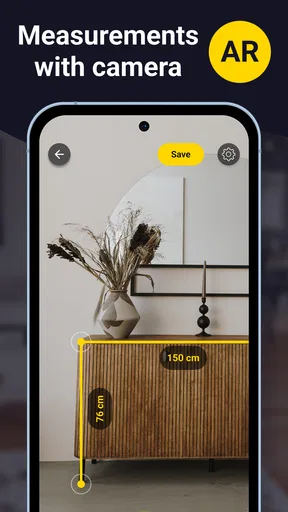
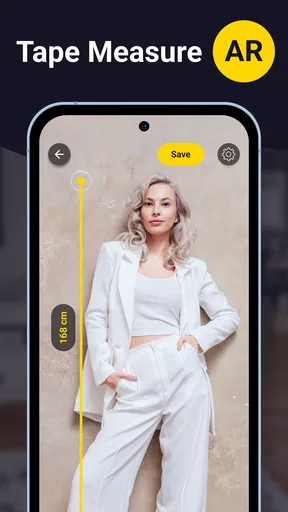
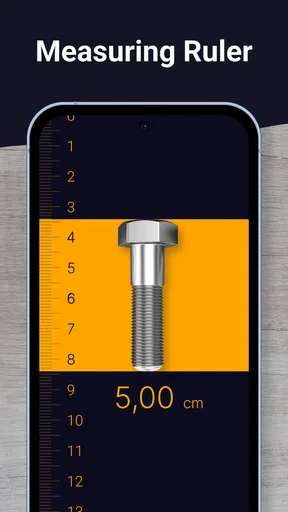
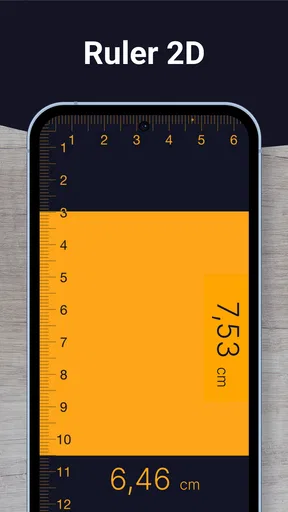
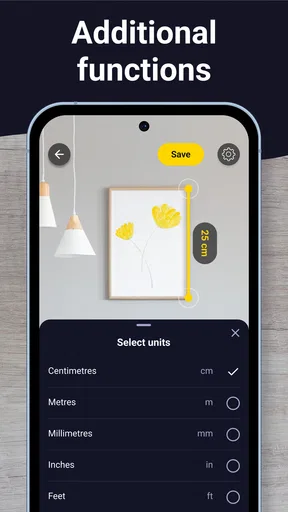
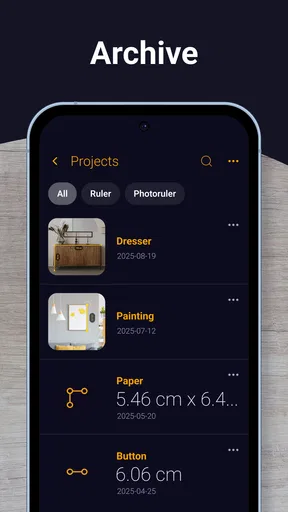
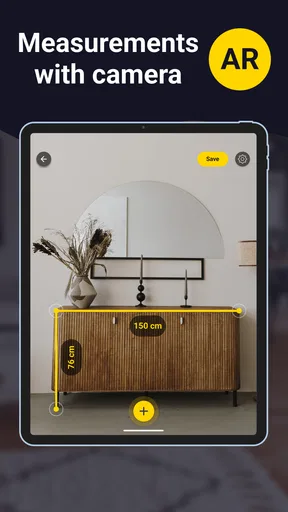
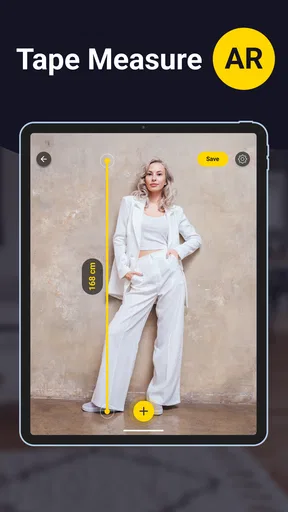
 Analysis by AppCompare
I reached for Tape Measure: Measuring Ruler when I needed a quick answer rather than a toolbox. It turns an Android phone into a practical visual measuring aid, and its appeal is easy to understand: when a physical tape is in another room, this app can help estimate the size of an object or space from a photo. It is free to install, aimed at everyone, and belongs to the Tools category, so the learning curve is pleasantly low.
My overall view is positive, with one important qualification: this is a convenience tool, not a replacement for a professional measuring instrument. That distinction affects almost every decision about using it. For arranging furniture, checking whether a parcel looks close to a certain size, or making a rough plan before buying supplies, it can save time. For cutting materials, ordering a precisely sized replacement, or confirming a safety-critical dimension, I would still use a real tape measure or another purpose-built device.
How to decide whether a phone-based ruler is enough
The first question is not whether the app is clever; it is whether the task allows an estimate. A phone camera sees a scene in two dimensions, while a room or object has depth, angles, shadows, and surfaces that may not be perfectly recognizable. A visual ruler can therefore be useful without being exact. I find it most suitable when the result helps me choose the next step rather than finish the job.
For example, imagine I am considering a narrow bookcase for a hallway. Before carrying a physical tape upstairs, I can use the app to get a quick sense of the available wall length and compare it with the furniture dimensions. If the result is clearly too small, I have saved a trip. If the result is close, I treat it as a prompt to verify with a conventional tape before ordering.
That workflow is the key to getting value from it. Use the app for early decisions and rough planning, then switch to a physical tool when a small error could waste money or create a fit problem. People who understand that boundary will probably enjoy it more than users expecting laboratory-level accuracy from a camera.
The app comes from Grymala apps and has been available since March 27, 2013. Its long presence and broad adoption suggest that the basic idea has remained useful, although popularity should not be confused with precision. I would judge it by the situation in front of me: a quick household estimate is a good match, while detailed renovation work is not.
What I look for before trusting a result
Lighting and positioning matter more than many first-time users expect. I try to photograph the subject straight on, keep the phone steady, and avoid placing the important edge in a shadow. A tilted camera can make a line appear longer or shorter, while a cluttered background can make it harder to identify the exact points I want to measure.
Worth Reading Before You Choose

Flipboard Shows What News Apps Must Do Beyond the Feed

Switching to Android Auto Means Rethinking Your Driving Routine

Google Calendar Makes a Crowded Week Easier to Manage

Ludo King Makes the Most of the Minutes Between Plans

Baby Panda World Brings Quick Play to Modern Phones, but Its Game Library Feels Busy

ESPN’s Live Game View Makes Following Close Games Easier
I also look for a reference that gives the image useful scale. If the scene includes an object whose size I already know, I can use that as a practical sanity check. This does not turn a photo into a survey, but it helps reveal an obviously implausible result. My habit is to measure the same line from slightly different positions; if the answers vary noticeably, I regard the scene as unsuitable for a confident estimate.
Another useful check is to measure something familiar before tackling the real task. A standard sheet of paper, a tabletop edge, or a common household item can show whether the current angle and lighting are producing sensible results. This is a better preparation step than opening the app at the exact moment a purchase decision is waiting.
Where the simple approach works best
The strongest use cases are visual and immediate. I can imagine using it to estimate the width of a wall for a picture arrangement, compare the apparent size of storage boxes, or work out whether a small appliance has a chance of fitting on a shelf. It is also handy when I am visiting a property and want a rough impression without carrying a kit of tools.
It can help with communication too. A photo with a marked measurement gives another person more context than a message saying “the space is about this wide.” That can be useful when discussing furniture placement with a family member or preparing a preliminary shopping list. I would still label the result as approximate, especially if someone else will make a purchase based on it.
One less obvious benefit is reducing unnecessary interruptions. If I am already holding the phone while documenting a room, checking a dimension in the same session is quicker than searching for a tape. That convenience is the real reason to keep a tool like this installed. It does not need to replace every instrument to be worthwhile; it only needs to solve enough small problems at the right moment.
Where this app wins, and where another tool fits better
The app’s main advantage is accessibility. A physical tape measure is more dependable, but it has to be nearby, it can be awkward for one person to use across a wide space, and it does not automatically belong to the same device I use for photos and notes. This app makes a rough measurement available during an inspection, a shopping trip, or a quick home project.
Compared with a basic ruler, it is better suited to objects and spaces that are too large to place beside a desk ruler. Compared with a standard tape, it is faster for a preliminary look but less reassuring when the fit must be exact. Compared with specialized measurement equipment, it is more approachable and less demanding, but it cannot offer the same confidence in difficult conditions.
That comparison also explains why the app’s category matters. As a general-purpose tool, it is not trying to become a complete construction kit. I would not expect it to replace a level, a laser distance device, or a marked physical tape. Its value is in filling the gap between “I need a rough idea now” and “I am ready to verify this properly.”
A realistic room-measuring workflow
Suppose I am rearranging a bedroom and want to know whether a desk could sit beneath a window. I would first clear the immediate foreground, stand far enough away to see both ends of the relevant wall or sill, and capture a stable image. I would then mark the endpoints carefully rather than measuring from decorative trim or an unclear shadow.
Next, I would repeat the process from a slightly different position. If both estimates are close, I would use the smaller practical figure when thinking about furniture clearance. I would leave space for skirting boards, handles, cables, and the fact that furniture dimensions are often rounded differently from the advertised size. The app gives me a starting number; the workflow turns that number into a more sensible decision.
For a purchase, I would take one final step: confirm the manufacturer’s dimensions and check the space with a physical tape before paying. This may sound cautious, but it is exactly where a camera-based estimate should stop. The app can prevent an obviously bad choice, yet it should not be the only measurement behind an expensive or difficult-to-return item.
Limitations that affect everyday confidence
The biggest limitation is the same feature that makes the app convenient: the phone camera is interpreting a scene rather than touching the endpoints. Reflective surfaces, curved objects, poor contrast, crowded rooms, and unusual perspectives can all make the intended line difficult to judge. Even a careful user may get a result that feels precise on screen but is not precise in the physical world.
There is also a human-factor problem. A measurement displayed with a neat line or number can encourage more confidence than the image deserves. I try to resist that feeling by asking whether I could tolerate the result being slightly wrong. If the answer is no, I put the phone down and use a conventional instrument.
Another trade-off is convenience versus repeatability. A physical tape has familiar markings and can be used by different people with broadly similar technique. A photo-based result depends heavily on camera placement and the points selected. That makes it excellent for personal estimates, but less ideal when several people need to reproduce the same measurement later.
Who should choose an alternative
I would steer away from this app as the primary solution if I were doing carpentry, installing built-in cabinets, checking a doorway for a tight delivery, or measuring anything where a small mistake creates a safety or financial problem. In those cases, a physical tape or a more specialized measuring device is the better choice, even if it takes longer.
It may also be the wrong fit for someone who wants a complete project record with highly repeatable measurements and professional documentation. A dedicated tool designed for that purpose will usually make the process clearer. I would not install a visual measuring app expecting it to manage a full renovation workflow.
On the other hand, people who frequently browse furniture, inspect rooms, organize storage, or make quick household plans are likely to appreciate the lower friction. The app is especially sensible for users who already take photos while shopping or planning, because the measurement step fits naturally into that habit.
Free access and the practical cost of switching
The app is free, which makes trying it low risk. Optional in-app purchases range from $0.99 to $89.99 per item, so I would pay attention to the purchase screen and avoid assuming that every capability is included without charge. The free entry point is enough to test whether the measuring workflow suits me before spending anything.
Its current version is 6.5.3, and it requires Android 8.0 or later. That requirement is reasonable for many users, but anyone with an older phone should check compatibility before planning around it. The age rating is Everyone, which matches the straightforward household nature of the tool.
Switching away from it is easy if I only need occasional estimates. A physical tape costs more effort to retrieve but does not depend on camera positioning or a compatible operating system. Switching in the other direction is more about habit: I need to remember that the app is best used as a first pass, not as an automatic authority.
For me, the most sensible setup is to keep both options available. I use the phone when speed and convenience matter, then verify with a tape when the measurement becomes a commitment. That combination avoids the false choice between modern convenience and dependable basics.
What the adoption numbers tell me, and what they do not
The app has an average rating of 4.2 from around 270 thousand ratings, with over 10 million installs and roughly 4.4 thousand written reviews. Those figures show that the concept has reached a substantial audience and that many people find it useful enough to keep around. They do not remove the need to judge accuracy for a particular room, surface, or object.
I read that reception as a sign of practical usefulness rather than proof that every measurement will be right. Tools like this often earn their place through many small successes: checking a shelf, estimating a gap, or deciding whether to fetch a real tape. That is the standard I would apply here.
My recommendation after using it as a decision tool
I recommend Tape Measure: Measuring Ruler to anyone who wants a quick, approachable way to estimate dimensions from a phone and understands the limits of camera-based measurement. It is a useful companion for shopping, room planning, and everyday questions where an approximate answer is valuable immediately.
I would not recommend relying on it alone for precision work. The smartest approach is to use it as a filter: rule out clearly unsuitable options, sketch an arrangement, or prepare a shopping list, then confirm important dimensions with a physical tape or a more specialized instrument. That two-stage method gives the app a clear job and prevents its convenience from becoming overconfidence.
Grymala apps has kept this tool available as a free Android utility, and its broad audience makes sense once I treat it as a fast visual assistant rather than a professional replacement. If you need a quick estimate now, it is worth trying; if you need certainty, use it only as the first step.
Pros
- Quickly measures objects using the phone’s camera and AR.
- Useful for estimating length when carrying a physical ruler isn’t practical.
- Simple interface makes basic measurements easy to start.
- Supports convenient on-screen measurement results.
- Helpful for DIY tasks
- furniture checks
- and everyday estimates.
Cons
- Accuracy depends heavily on lighting
- camera quality
- and calibration.
- AR measurements may drift when the phone moves or loses surface tracking.
- Not suitable for precise professional or construction measurements.
- Some features may require in-app purchases or display advertisements.
- Requires camera access and may consume noticeable battery during use.
FAQs for Tape Measure: Measuring Ruler
What is Tape Measure: Measuring Ruler used for?
Tape Measure: Measuring Ruler is designed to help you estimate the length, height, or distance of everyday objects using your smartphone. Depending on your device and the app’s available tools, measurements may be made with the camera, augmented reality, or an on-screen ruler. It can be useful for quick home projects, furniture checks, and approximate measurements when a physical tape measure is not available.
How accurate are the measurements in Tape Measure: Measuring Ruler?
The app can provide convenient estimates, but its accuracy depends on your phone’s camera, motion sensors, lighting, surface details, and the way you position the device. It should not be treated as a replacement for a professional measuring tool in construction, engineering, medical, or other situations requiring precision. For better results, follow the calibration instructions and compare important measurements with a real ruler or tape measure.
Does Tape Measure: Measuring Ruler require camera or other permissions?
If you use the camera or augmented-reality features, the application may request access to your device’s camera and possibly motion sensors. These permissions are needed to detect surfaces and calculate approximate dimensions. You can usually manage them through your Android or iOS privacy settings. Review the permission prompts carefully, and avoid granting access that is not necessary for the features you intend to use.
Can I use Tape Measure: Measuring Ruler without an internet connection?
Some basic ruler functions may work offline, while camera-based or augmented-reality measurement tools can vary depending on the version of the app and your device. An internet connection may also be required for advertisements, updates, subscriptions, or loading certain content. If you need the app in a location without reliable connectivity, test the measuring features beforehand rather than assuming every tool will remain available offline.
Is Tape Measure: Measuring Ruler free to download and use?
The application may be available as a free download, but free access can include advertisements, limitations, or optional in-app purchases. Some advanced measurement modes, an ad-free experience, or additional tools may require payment, depending on the platform and current release. Before downloading, check the Google Play Store or Apple App Store listing for the latest pricing, subscription terms, supported devices, and cancellation information.


